Latest updates and improvements to SF Compute.
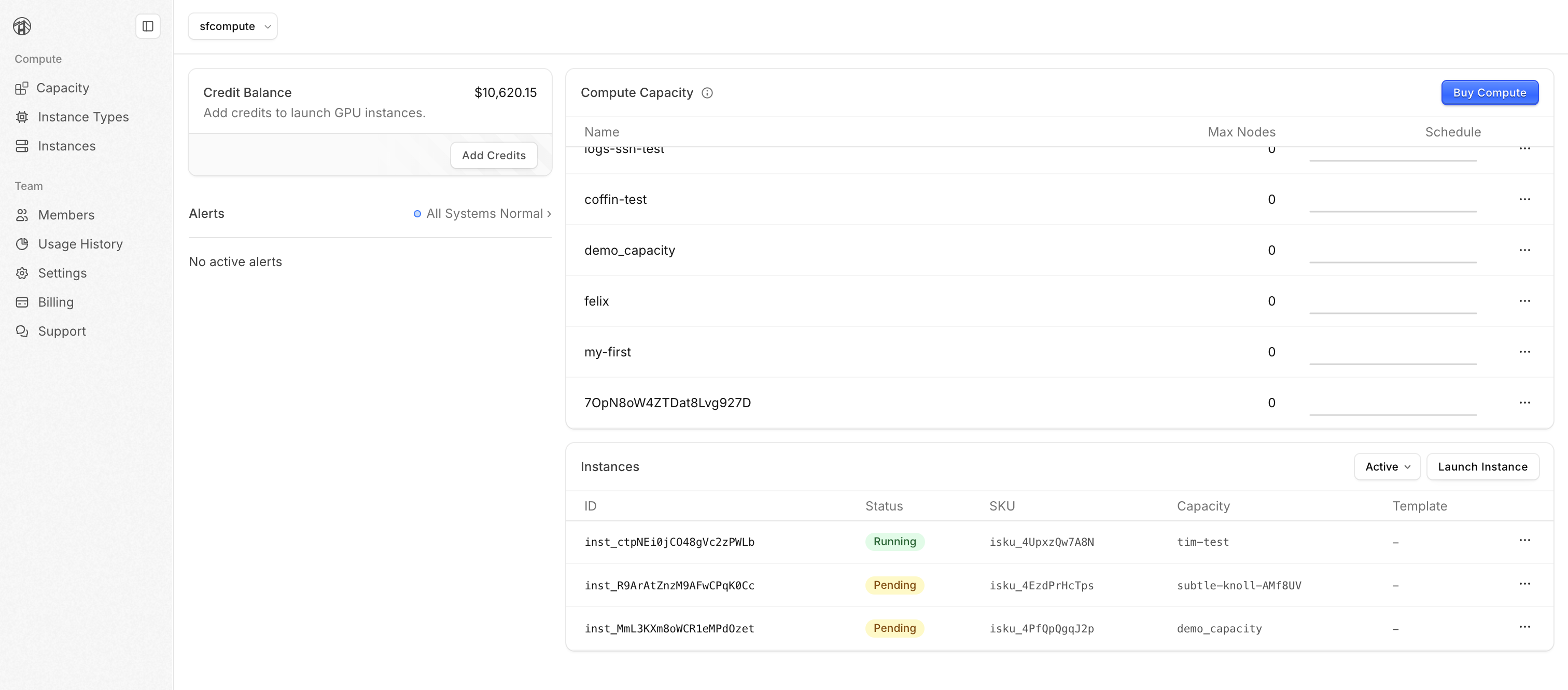
We've redesigned the dashboard around Capacities and Instances, with quicker access to your most-used features.
Missing a feature you relied on, or any other feedback? Contact us.
Run sf nodes migrate to convert v1 nodes to v2 instances without interrupting your running VMs.
# Migrate a specific node
sf nodes migrate <node-name>

# Migrate all nodes interactively
sf nodes migrate
For more information, read our migration guide.
Revoke an image to prevent new instances from using it. Existing instances are unaffected.
Reinstate an image to make it available again.
sf images revoke <image-id>      # blocks new use (keeps image)
sf images reinstate <image-id>   # restores availability
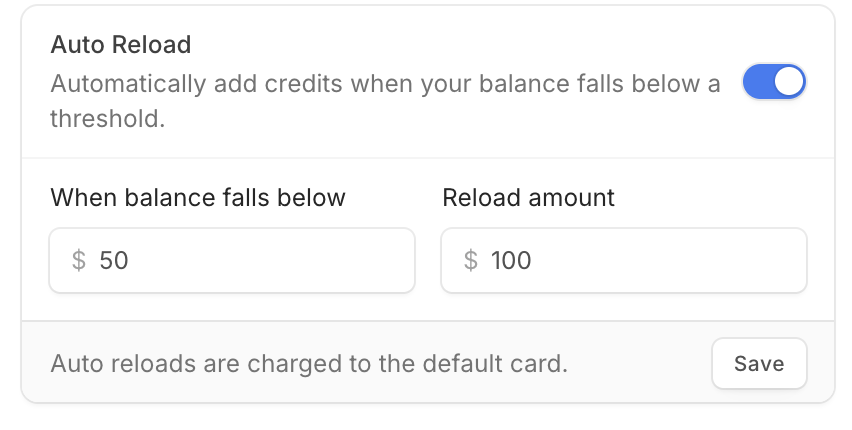
Auto reload credits when your balance drops below a given threshold.
Enable Auto Reload in Billing settings.
- appManage saved cards, per-card billing addresses, and your default payment method in billing settings.
- appWhen a feature isn't in the dashboard yet, we now show you the equivalent CLI command.
- appRefreshed error and 404 pages.
- cli
sf instances logssupports tailing and time-interval queries. - cli
sf instances createshows an interactive SKU picker when--instance-skuis omitted. - cliHelp text wraps at terminal width; verbose flag descriptions are trimmed.
- cli
--helpnow shows usage examples for all commands. - cliResource tags prompt input validates inline as you type.
- cliPartial command names now produce a clear error.
- cliCapacity transfer flags
--source-capacity/--destination-capacityrenamed to--from/--to. - cliInteractive mode suggests previously used
--cloud-initpaths. - cliSSH errors now reflect instance status.
- cliCLI prompts for an SSH user instead of defaulting to
$USER.
- appFixed intermittent failures when switching orgs, logging in via CLI, and selecting an active org.
- appOrg verification now shows accurate status and won't lock your account if screening fails.
- appThe billing page now loads faster and more reliably.
- appFixed the zones chart x-axis showing "Invalid Date".
- cliCLI clears stale auth tokens on 401 and prompts you to log in again.
- cli
sf instances logsnow shows accurate timestamps. - cliImage picker now shows public images during
sf instances create. - cli
sf instances sshexit code now matches the remote process. - cliCLI handles missing or inaccessible home directories gracefully.
The v2 API and CLI remain in public preview. Preview
endpoints are still served under /preview/v2/*. To learn more about public preview, read about
our roadmap and feature states
here.
The legacy API still works but is being phased out. Plan to migrate off it soon.
If you're new to v2, get started using the quick start guide.
"Nodes" previously referred to both the physical hosts and the VMs running inside them. In v2, we now refer to them using distinct terms:
- Node — the physical machine purchased by an order
- Instance — the VM you launch, SSH into, and run workloads on
We've renamed our CLI, API, and wire formats to match:
sf nodes …→sf instances …sf node-templates …→sf instance-templates …/preview/v2/nodes→/preview/v2/instancesnode_template→instance_templatetarget_node_count→target_instance_countnode_name_template→instance_name_template
In the v2 CLI, the sf nodes alias is gone - update your scripts to use sf instances. The legacy /v1/nodes API remains untouched. To migrate active legacy v1 nodes to v2 instances, run sf nodes migrate in the
v2 CLI.
Transfers move nodes between two of your capacities for a specified window.
# Using the v2 CLI
sf capacities transfers create \
  --from-capacity dev \
  --to-capacity prod \
  --start-at "tomorrow" \
  --end-at "in 7d" \
  --node-count 4 \
  --instance-sku isku_4UpxzQw7A8N

sf capacities transfers get <transfer-id>
sf capacities transfers list --capacity dev
Use capacity transfers to isolate compute time so you can resell time in one capacity without affecting the instances in the other.
A capacity with pending transfers can't be deleted until the transfers have settled.
The Orderbook API exposes a live record of every standing buy and sell order on the market.
Use it to price a specific delivery window before you place an order, discover what hardware is on offer and at what rate, or feed live supply and demand into trading bots, dashboards, and analytics.
- cli
sfrespectsNO_COLORin spinners and progress bars. - cli
sf instances createshows the expected shutdown time before you confirm. - cliInteractive prompt in
sf instances createallows a user to pick an instance template. - cli
sf instances createimage picker highlights SFC public images, sorts by date, and scrolls long lists. - cli
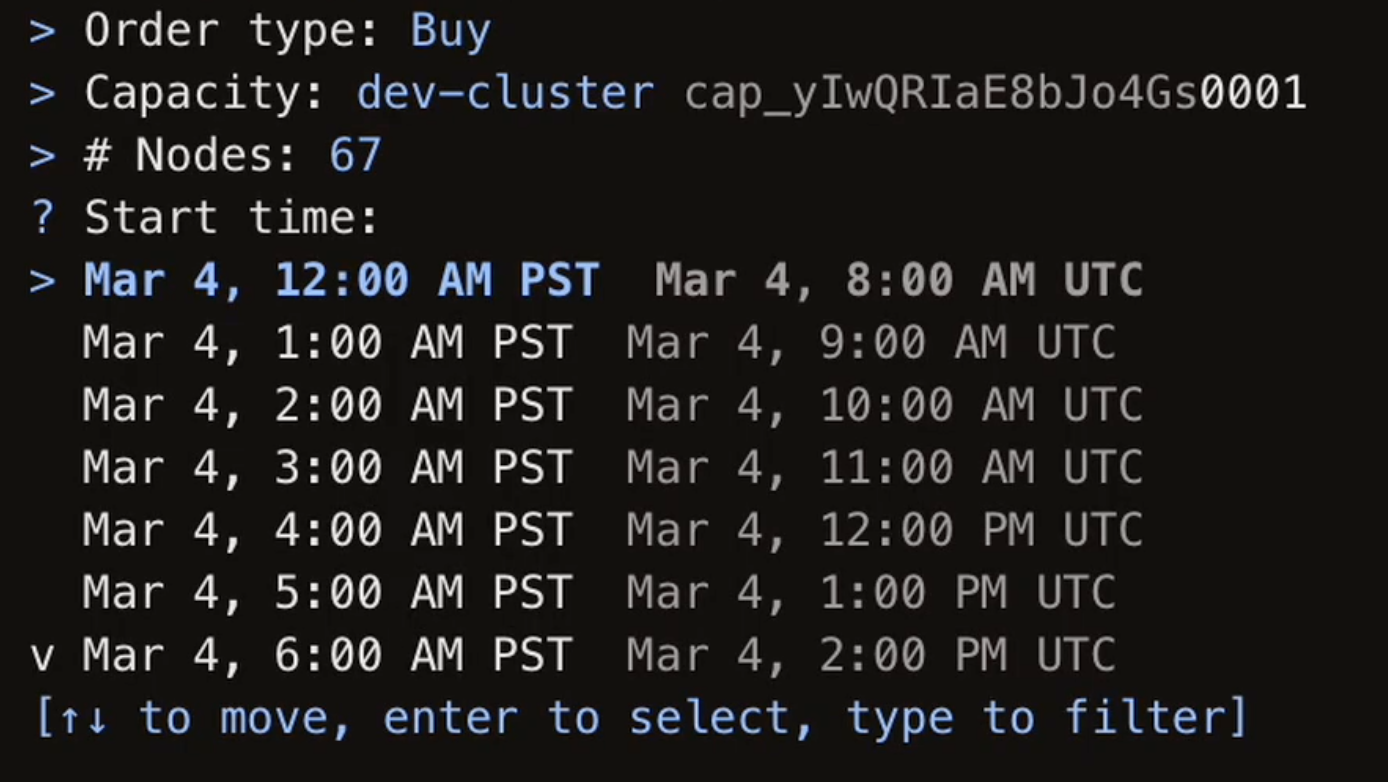
sf orders createreservation time picker snaps cleanly to hour boundaries. - cliInteractive prompts now use custom select and multi-select components in place of the previous list components.
- apiBalance-check rejection messages and
payment requirederrors mentionmax-price. - appAll legal documents have been consolidated into a single page.
- docsThe Selling guide explains how sell order pricing works.
- cli
sfno longer crashes on an empty or malformed config file. - cli
sf logincreates a valid config file if one doesn't exist yet. - cliAlphanumeric IDs no longer contain
-or_to avoid quoting issues. - cli
sf deployments createconfirmation renders the instance template name. - cliImage downloads are no longer throttled by the previous rate limit.
- api
/deploymentsroutes accept resource paths for theinstance_templateparam. - docsSSH instructions are aligned across docs and quick starts.
Our rewritten CLI and API are now in preview, built on a new mental model for managing compute that adds reselling support. Get started using the docs.
The new CLI and API are separate from the existing legacy API, which will continue to be supported as we continue to iterate.
If you have more compute than you need, you can sell it back. Once your order fills, credits are added to your balance.
# Place a buy order
sf orders create --side buy --capacity my-capacity \
  --nodes 4 --start now --duration 24h \
  --max-rate '$25.00'

# Sell back unused allocation
sf orders create --side sell --capacity my-capacity \
--nodes 4 --min-rate '$20.00'We've rewritten our CLI in Rust for speed. The new CLI uses different command syntax, so some commands from the previous CLI won't work without changes.
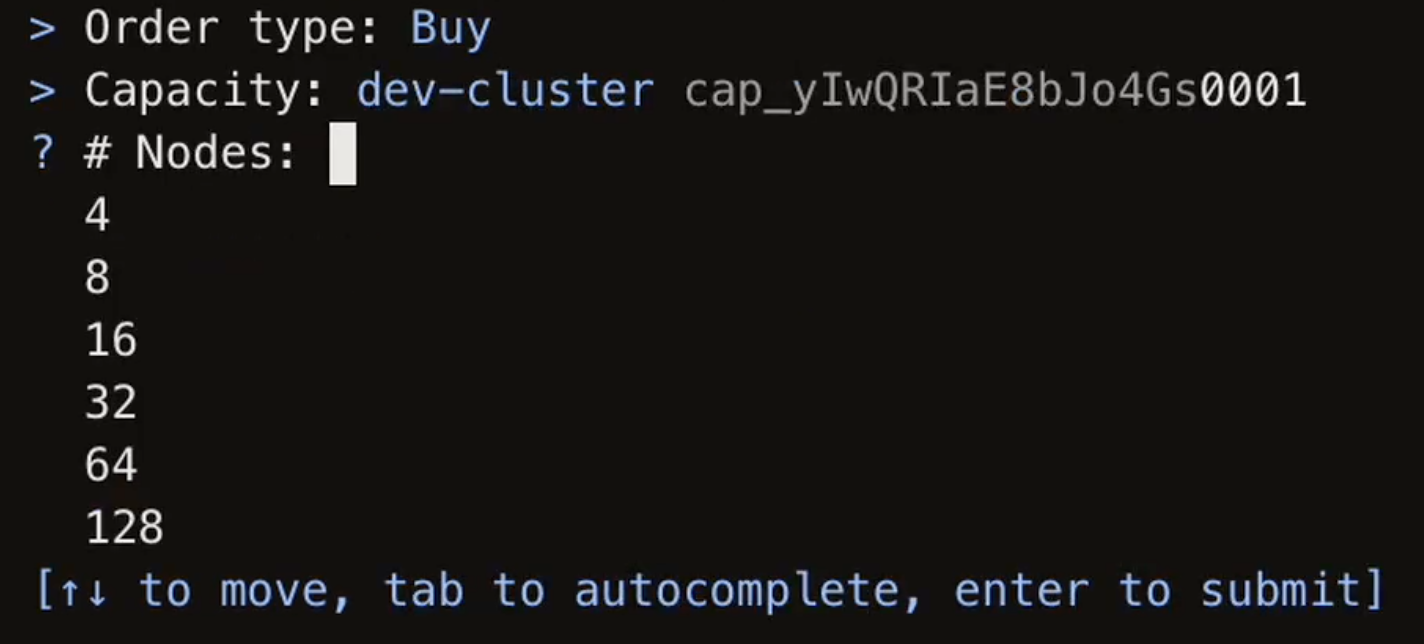
If you forget to pass required flags on a command, it'll prompt you for what it needs.
Attach a node to a capacity and it runs as long as allocation is available. If there's no allocation yet, it enters an awaiting state and starts automatically when capacity becomes available.
# Create a node
sf nodes create --capacity my-capacity \
--image ubuntu-22.04.5-cuda-12.7Use deployments to keep a target number of nodes running. Use procurements to buy and sell automatically within price bounds.
# Keep 4 nodes running at all times
sf deployments create --capacity my-capacity \
  --node-template my-template \
  --target-node-count 4

# Scale up
sf deployments set my-deployment --target-node-count 8

# List deployments for a capacity
sf deployments list --capacity my-capacity

# Automatically buy and sell within price bounds
sf procurements create --capacity my-capacity \
  --target 4 --window 1h \
  --max-buy-price '$25.00' \
  --min-sell-price '$20.00'

# Pause a procurement
sf procurements set my-procurement --enabled false
Node templates let you define an image and startup script once, then reference the template in deployments or when creating nodes.
# Create a template
sf node-templates create --name my-template \
  --image ubuntu-22.04.5-cuda-12.7 \
  --cloud-init ./startup.sh

# List templates
sf node-templates listTags are key-value pairs you can use to organize and filter nodes and capacities.
# Add a tag
sf nodes set my-node --tag env=prod

# Filter by tag
sf nodes ls --tag env=prod- cliOrders now show rates labeled as
$/node/hrand display the capacity's zones in the creation preview. - cliInteractive prompts now validate input inline across most commands.
- apiImproved OpenAPI spec annotations.
- appAPI keys created with "No expiration" now correctly never expire instead of defaulting to 14 days.
- appOnboarding form now correctly surfaces unexpected validation errors.
- appTestimonial company names now display inline with attribution text.
- appQuote requests no longer get presented as suggestions when they're valid orders.
- cli
sf nodes sshnow shows a message when no trusted SSH keys are configured. - cli
sf upgradeno longer triggers recursive upgrade calls. - cli
sf nodes create --max-pricenow rounds to integer cents. - cli
sf nodes create -s/--startvalidates the value and errors clearly when unparseable.
Uploading and managing custom OS images is now available as a top-level CLI command.
# List available images
sf images list

# View image details and download URI
sf images get <image-id>

# Upload a custom image
sf images upload ./path/to/os.rawThe landing page footer now describes real-time system status, including incidents and upcoming maintenance.



Clicking on the footer navigates to our status page.
We have sunsetted LSI batch inference to better support the great inference providers running on SFC.
sf buy, sf sell, and sf extend have been removed in CLI v0.30.0. Use the Nodes API and sf nodes commands to explicitly spin up, extend and release specific nodes instead.
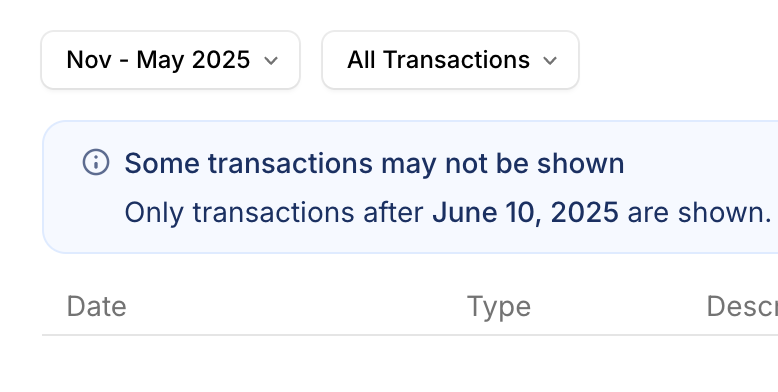
For older records, contact us.
- appSimplified and improved reliability for account and org management logic.
- appOptimized dashboard balance polling and data fetching for faster load times.
- cli
sf nodes lscolumn headers now show your local timezone abbreviation (e.g., PST) for start and end times. - docsCorrected cluster technical specifications in documentation.
- apiMax node name length increased from 128 to 256 characters.
- appImproved how empty zone capacity is displayed.
- appOptimized zones capacity display on small screens.
- appFixed a bug where extending multiple nodes showed 10× the correct price.
- cliFixed zones table header incorrectly wrapping to new line.
- cliFixed
sf nodes createincorrectly marking local time as UTC instead of converting it. - apiOpenAPI spec now properly disambiguates error schemas for improved SDK generation.
- apiImproved performance and reliability for balance and transaction queries.
- Pre-configure Nodes with your own software and dependencies
- Supports any UEFI bootable x86_64 raw image
# Upload a custom image
sf nodes images upload ./path/to/os.raw

# Create a node with the custom image
sf nodes create -n 1 --image <image-id> --zone landsend --max-price 30
Read the custom images documentation for more info.
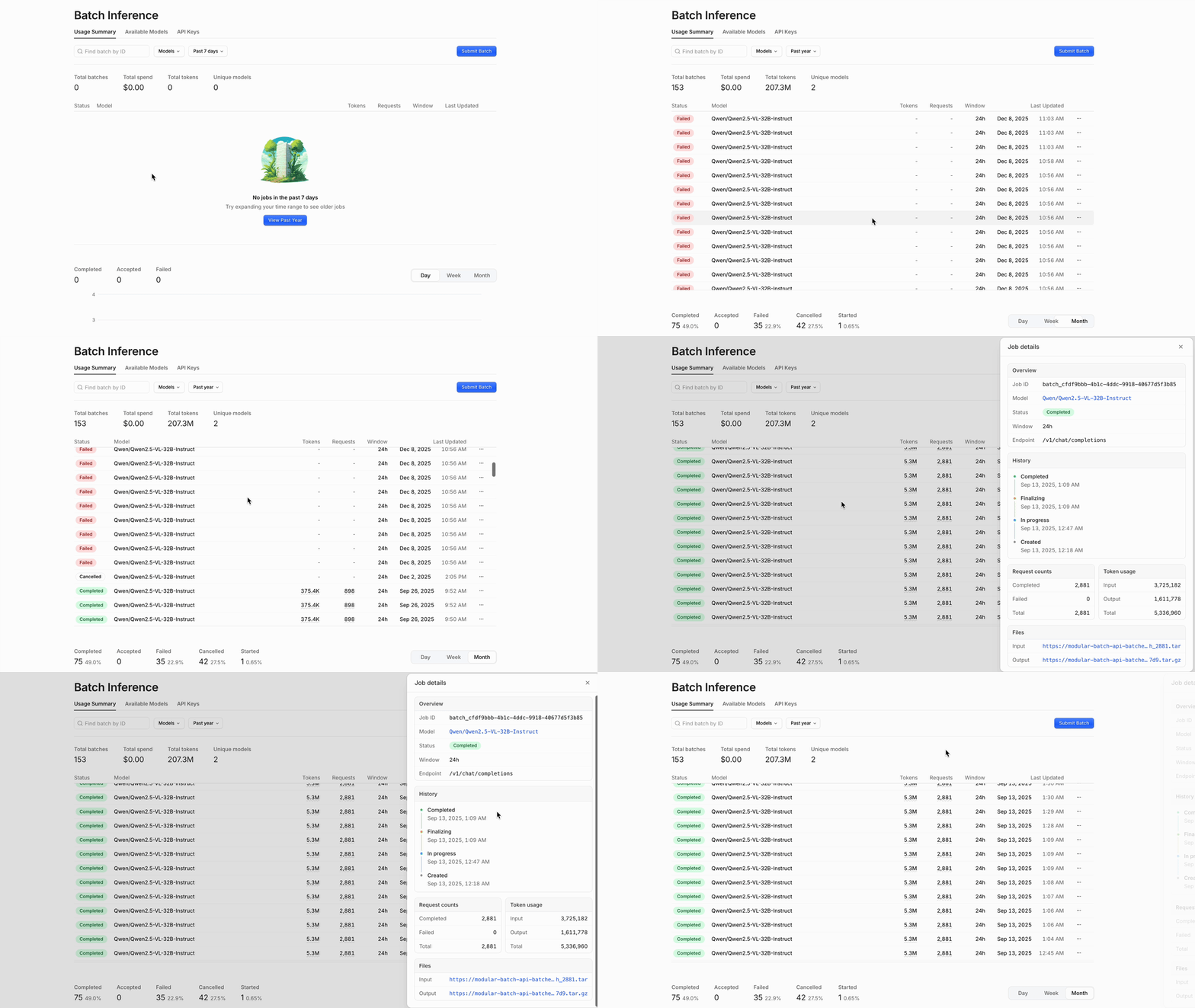
Jobs and usage are now in a single tab, with a reworked job details view.
API keys support custom expiration (e.g., 1d, 30d, 60d) and descriptions.
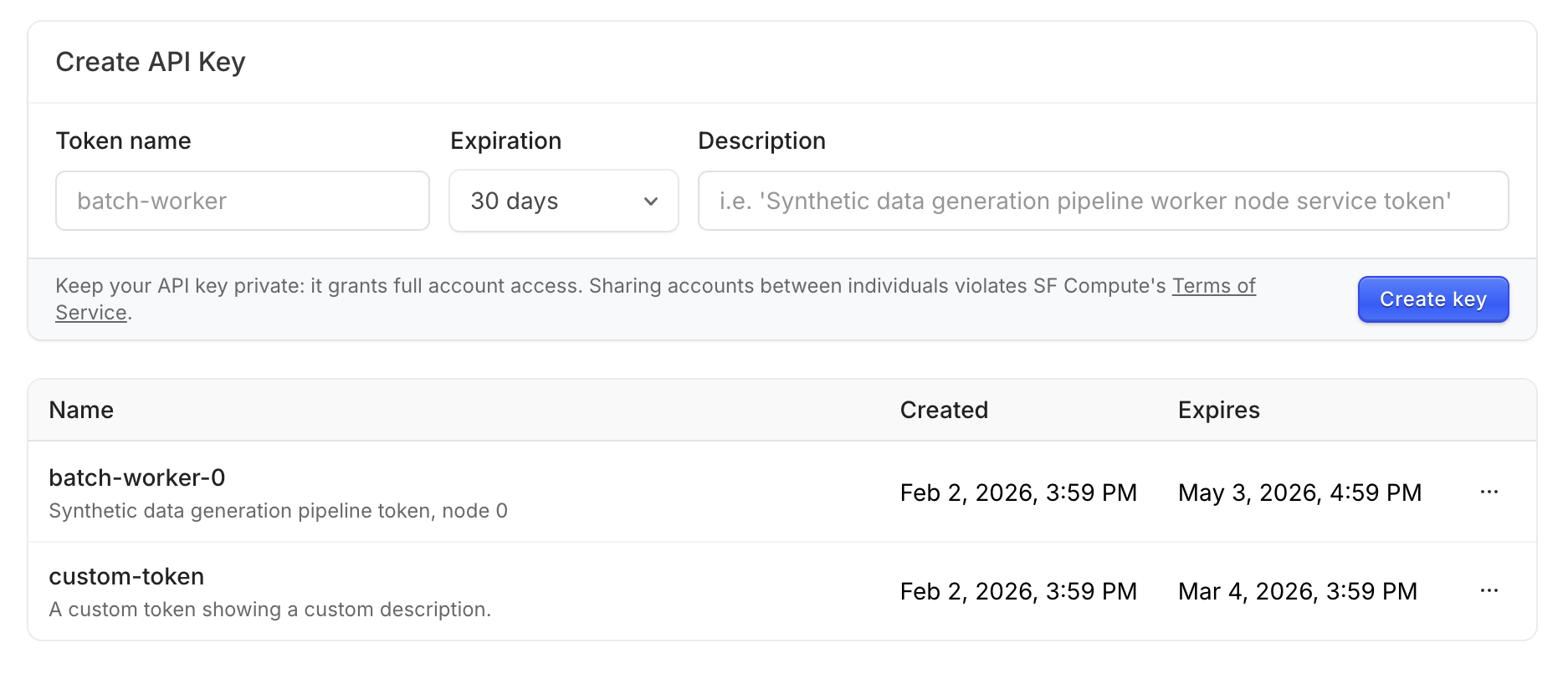
View, manage and create API keys via the dashboard here.
The dashboard and CLI now show an availability summary for each zone, giving you a clearer picture of capacity at a glance.
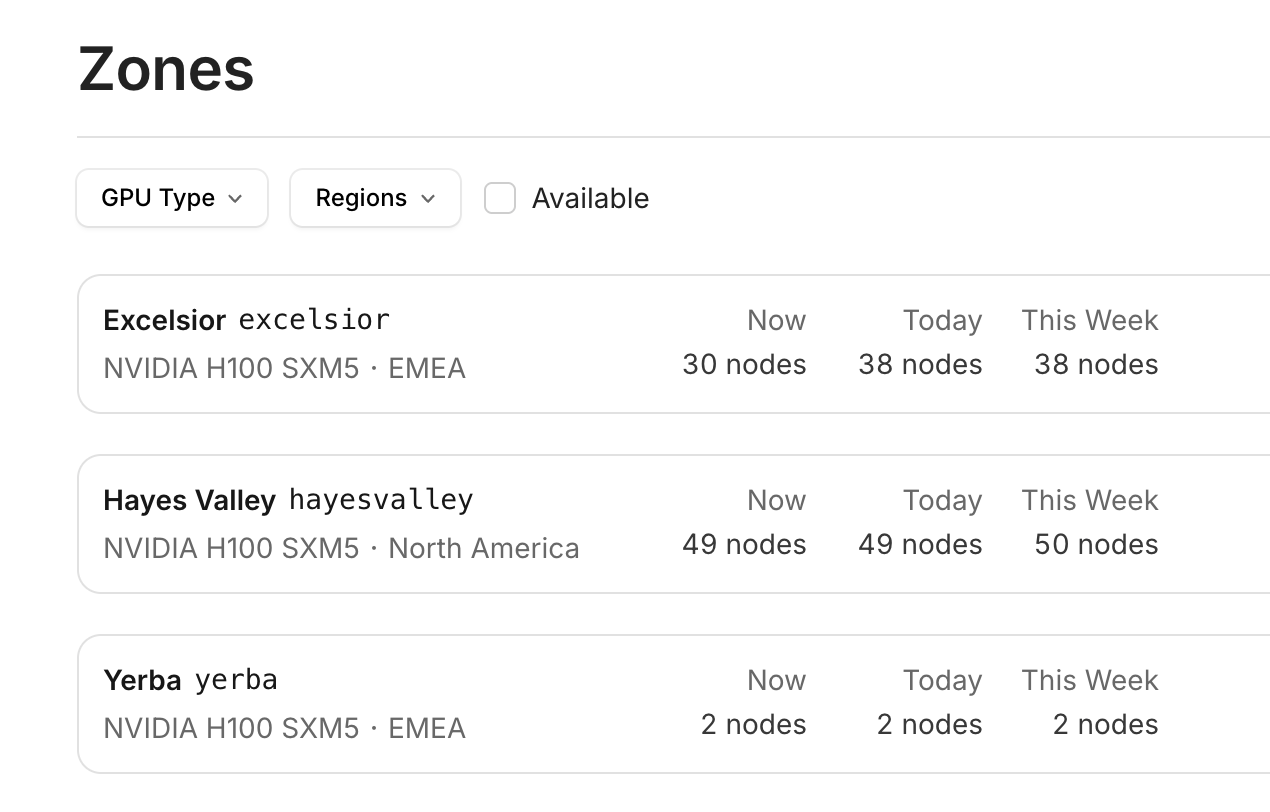
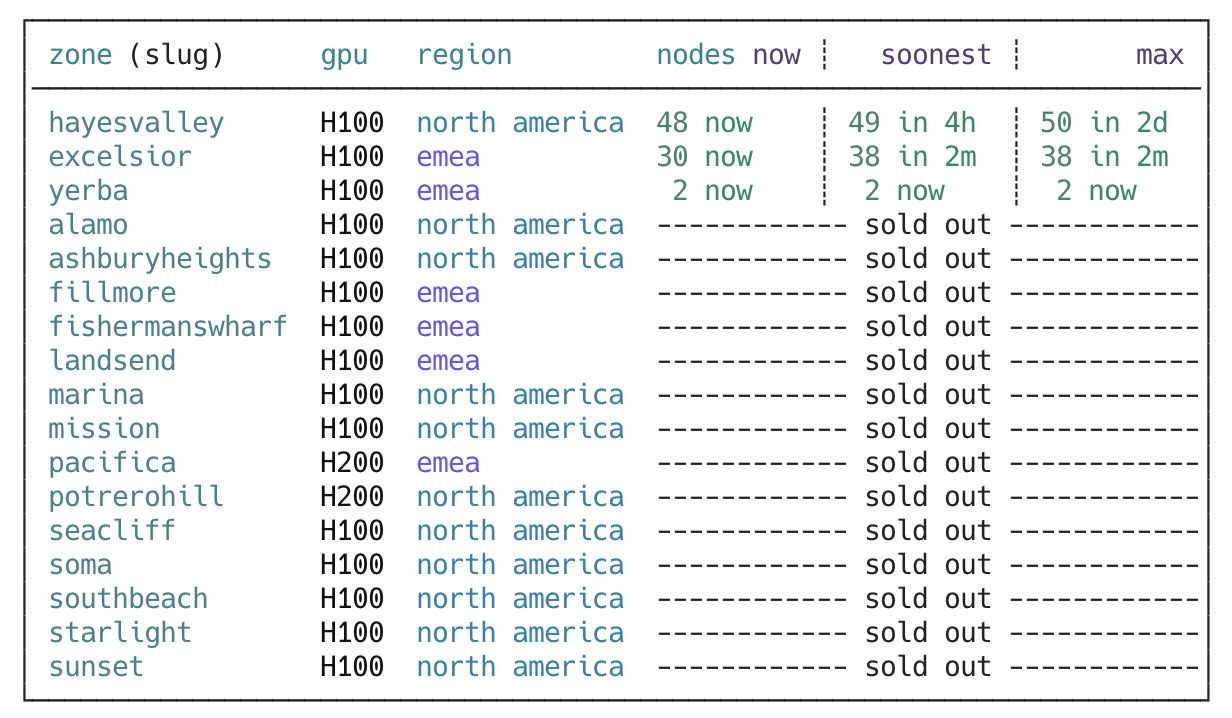
Calling sf zones ls without --all in the CLI will only show zones with current and upcoming availability.
- apiNumerous LSI batch processing stability and behavior improvements.
- appHuman-readable zone names (e.g., "Fisherman's Wharf", "Lands End") are now correctly formatted.
- apiFaster balance queries speed up dashboard and CLI load times.
- cliCLI ported from Deno to Node.js, improving UX stability.
- appZone capacity graph no longer shows "0" for the current hour when GPUs are available.
- appBatch inference dashboard no longer crashes when viewing models tab.
- docsAPI docs now show prices in cents instead of centicents.
- appRemoved broken pricing components from landing page.
We've added NVIDIA B200 and B300 GPUs to our fleet. Contact us to learn more.
The LSI batch inference dashboard is now generally available.
- Usage: Batch usage and billing data with day/week/month views
- Jobs: Paginated list with request counts and statuses
- Models: Available models and their pricing
- API keys: Create, view, and revoke API keys
Access LSI via the dashboard.
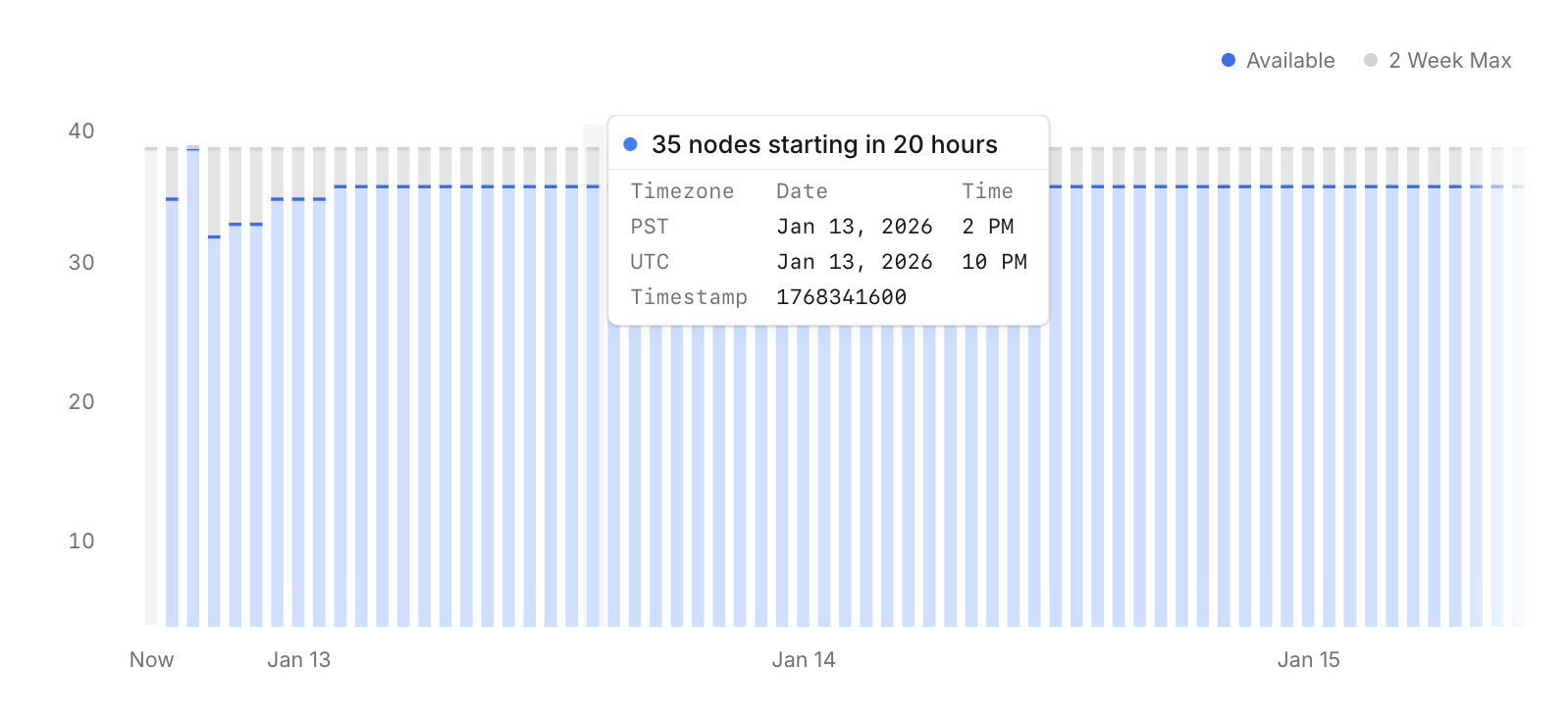
The zones page now shows more detailed capacity availability information, with clearer hour boundaries for planning your workloads.
When you launch a node through the dashboard, it will now create a Node and not a legacy VM.
This means you can use the sf nodes CLI commands to explicitly manage your compute.
We're continuing to deprecate legacy VMs across the platform in the coming weeks. Please migrate your workloads to Nodes as soon as possible.
You can now create Nodes in the cheapest zone that meets hardware requirements.
In the API, add the any_zone parameter to your Node creation request. See the API documentation for request parameters.
The --any-zone flag has been added to the CLI to allow Nodes to be created in the cheapest zone that meets hardware requirements.
# Create Nodes with automatic zone selection
sf nodes create my-node-name --any-zone -d 1d -p 10.00

# Zone information shown in CLI output
sf nodes ls
sf nodes ls --verbose
Nodes created with --any-zone show "Any matching" in sf nodes ls until they are assigned to a specific zone. Reserved Nodes show the assigned zone immediately.
- appImproved billing with saved payment methods.
- apiFixed bug where transaction view would show pricing in cents instead of dollars.
- appFixed bug where transaction view would show incorrect GPU type.
- apiImproved balance checks and ledger reliability.
- appFixed waitlist handling for users joining organizations.